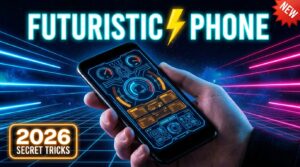
Your phone is already a supercomputer. But does it look like one? In 2026, the gap between a stock Android home screen and a genuinely futuristic, command-center-style mobile interface is wider than ever — and closing it has never been easier.
Forget generic wallpaper swaps and colored icon packs. This guide goes deep. Whether you want a neon-drenched cyberpunk terminal, an ultra-minimal glassmorphic control panel, or a full AI-integrated HUD experience, every step is laid out here from the ground up. No root required. No technical background needed. Just a willingness to go beyond the default.
Let’s transform your phone into something that feels like it belongs in the next decade.
Why Your Stock Phone Looks Outdated (And How to Fix It)
Most people are running the same launcher their phone shipped with in the factory. That means a rigid grid of colorful app icons, a wallpaper they set once and forgot about, and no real sense of personality or function in the interface.
In 2026, the world’s most compelling mobile setups share a common design language built around functional minimalism, real-time data visualization, and cohesive visual theming. They borrow heavily from science fiction UI design — the kind you see in films like Blade Runner 2049 or Ex Machina — and translate it into a daily-driver interface that’s actually faster and more intuitive to use than the default.
The core pillars of a futuristic mobile transformation are:
- A custom launcher that replaces your entire home screen shell
- A HUD-style widget system that surfaces live data at a glance
- A unified visual theme — icon pack, wallpaper, fonts, and color palette working as one system
- AI-powered utilities that make your phone feel genuinely intelligent
- Gesture and edge panel navigation for a seamless, button-free experience
Hit all five, and your phone stops feeling like a consumer device and starts feeling like a personal command deck.
Choose Your Aesthetic Direction First
Before installing a single app, make a creative decision: what kind of futuristic do you want?
This matters because the tools, color palettes, and launchers that work for a cyberpunk neon aesthetic are entirely different from those that suit a clean, monochrome space-age interface.
Cyberpunk & Neon
This is the most visually dramatic of all the futuristic aesthetics. Think glowing electric blues, toxic greens, hot magentas, and deep violet gradients against a true-black OLED background. The UI should feel like a hacker’s terminal — dense with data, alive with light. Reference points include Cyberpunk 2077’s UI overlays and synthwave album artwork.
Color Palette: Electric blue (#00F0FF), neon pink (#FF00C8), toxic green (#39FF14), black (#000000)
Glassmorphism & Minimal Tech
The more sophisticated cousin of cyberpunk. Frosted-glass panels, subtle transparency effects, soft white or silver gradients, and monochrome icon sets. Popularized by iOS design language and Nothing OS’s signature dot-matrix aesthetic. This setup looks premium rather than loud — the kind of interface you’d expect on a €2,000 concept device.
Color Palette: Frosted white (rgba 255,255,255,0.15), soft graphite, pale blue-grey, true black
Sci-Fi Command Center
The most technical aesthetic of the three. Inspired by spaceship cockpits, military tactical displays, and cinematic AR overlays. Heavy on real-time system metrics, geometric UI shapes, and radial progress indicators. Think Interstellar docking computer or a NASA control room interface.
Color Palette: Deep space black, amber amber (#FFA500), electric cyan, slate grey
The Best Apps to Transform Your Phone in 2026
ARC Launcher — The Professional’s Futuristic Launcher
ARC Launcher sits at the top of the Android customization ecosystem for power users who want the deepest possible transformation. It is effectively a complete UI replacement — not just a home screen but a reimagined interaction model for your entire device.
Key Features:
- Hi-tech command center home screen with live system metrics (CPU, RAM, battery, storage displayed as graphical HUD elements)
- Integrated 3D themes with parallax depth effects driven by your phone’s gyroscope
- Built-in fingerprint-locked app drawer for app privacy without third-party tools
- Gesture shortcuts across swipe directions for rapid app launching
- Custom icon shaping, font override, and per-app animation curves
Best For: Users who want the full sci-fi command center aesthetic right out of the box with minimal configuration
Orbit Launcher — Best for 3D Depth and AI Integration
Orbit Launcher earns its reputation by doing something no other launcher does as convincingly: making your home screen feel spatially three-dimensional. Gyroscope-based parallax wallpapers create a genuine sense of depth, so your background appears to shift and recede as you tilt your phone — an effect that consistently surprises people seeing it for the first time.
Key Features:
- 4D depth parallax wallpapers using real-time gyroscope data
- Integrated AI voice assistant with smart shortcut suggestions
- Live system performance HUD with battery, signal, and usage data
- Sci-fi-themed app grid with custom transition animations
- Smart gesture controls for multitasking
Best For: Anyone who wants their home screen to feel genuinely alive and three-dimensional
Futuristic UI Launcher — Best Cyberpunk-Ready Interface
Futuristic UI Launcher takes the cyberpunk aesthetic more seriously than most. It ships with a hi-tech keyboard skin built in, deeply integrated system widgets, and a visual language that reads as authentically digital rather than a cosmetic skin over stock Android.
Key Features:
- Built-in sci-fi keyboard skin with neon glyph keycaps
- Integrated weather, calendar, and battery widgets styled to match the UI
- App drawer with category-based smart sorting
- Privacy mode with app-hiding via fingerprint authentication
- Multi-page home screen with distinct HUD themes per page
Best For: Cyberpunk and neon aesthetic setups where visual consistency across every touchpoint matters
Ares Launcher — Cyberpunk as a Lifestyle
Ares Launcher commits harder to the cyberpunk visual metaphor than anything else on the Play Store. It is designed from the ground up to look like the UI overlay of a near-future augmented reality system — which means it will not suit everyone, but for the user it is built for, it is extraordinary.
Key Features:
- Cyberpunk-style glitch effects and scanning line animations on load
- HUD overlay mode that superimposes data panels over your wallpaper
- AI-driven interface learning — adapts shortcut positions based on usage frequency
- Custom neon accent color system with per-widget color overrides
Best For: Users who want the most visually committed sci-fi aesthetic and don’t mind a steeper setup curve
Build Your HUD Widget Layer with KWGT
The launcher sets the shell, but KWGT (Kustom Widget Maker) is what turns a cool-looking home screen into a genuinely functional futuristic command panel. It is the industry standard for advanced Android widget creation and has been for years — but the widget packs available in 2026 have reached a level of sophistication that was impossible even two years ago.
KWGT widgets can display virtually any piece of live data your phone has access to:
- Real-time battery percentage with animated circular discharge graph
- Network upload/download speed in Mbps
- CPU and RAM utilization as analog gauge or progress bar
- Current weather with condition icon and 3-day forecast scroll
- Step count, heart rate from paired wearable
- Storage capacity breakdown by file type
- Upcoming calendar events with time-remaining countdown
| Widget Pack | Aesthetic | Key Feature |
|---|---|---|
| Cyberpunk Icons & KWGT | Neon cyberpunk | Terminal-style system stats, Sandevistan clock |
| Radiance KWGT | Glassmorphism | Frosted-glass panels with glow effects |
| Neon Rock for KWGT | Retro-futuristic | 80s neon synthwave styling |
| KUSTOM HUD Pack | Sci-fi command center | Radar, gauge, and radial display widgets |
| Minimal KWGT | Monochrome tech | Clean data readouts, Nothing OS-style |
Pro Setup Tip: The most impactful futuristic setups use 3–5 large KWGT widgets rather than a crowded grid. A full-width clock widget, a system stats panel, and a weather summary card together create a command center feel that dozens of small widgets cannot.
The AI Features That Actually Make Your Phone Feel Futuristic
Aesthetics are half the equation. The other half is how your phone behaves. In 2026, Android’s AI stack has matured to a point where several native and third-party features genuinely change the experience of using a phone.
On-Device AI Processing
Modern flagship chips — including the Snapdragon 8 Elite Gen 5 and Google’s Tensor G5 inside the Pixel 11 series — contain dedicated Neural Processing Units (NPUs) that handle AI tasks locally on the device without sending data to the cloud. This means faster responses, full offline functionality for voice commands and translation, and meaningfully stronger privacy protection.
In practical terms, this powers:
- Live call transcription — conversations transcribed in real time with speaker identification, fully offline
- AI photo enhancement — removing objects, adjusting lighting, and generating alternative backgrounds using on-device generative models
- Predictive app suggestions — your launcher surfaces the exact app you’re about to reach for, before you search for it, based on time, location, and behavioral history
Dynamic Island Equivalents for Android
Apple’s Dynamic Island made the camera cutout interactive. Android manufacturers have responded with their own implementations — and third-party apps have filled the gap for devices that don’t have one built in.
| Manufacturer Implementation | Brand |
|---|---|
| Super Island | Xiaomi |
| Live Capsule | Honor |
| Fluid Cloud | OPPO |
| Atomic Island | Vivo |
For any Android phone without a native implementation, Action Notch and NotiGuy both use the Android DisplayCutout API to create interactive notification capsules around the camera lens — live media controls, timer countdowns, navigation indicators, and incoming call widgets that orbit the camera hole.
Gesture Navigation Done Right
Nothing dates a phone interface more visibly than a three-button navigation bar taking up screen real estate at the bottom. In 2026, gesture navigation is not a niche setting — it is the default assumption of every futuristic launcher on this list.
Configure gesture navigation at the OS level first (Settings → System → Gestures → System Navigation), then layer your launcher’s own gesture library on top. ARC Launcher and Orbit Launcher both allow multi-directional swipe gestures on the home screen and lock screen, so frequently used apps and functions become single-motion commands.
For deeper information on Android’s gesture navigation system and how to configure it across different manufacturers, Google’s official Android gestures documentation is the definitive reference.
Your Unified Theme System: Icons, Wallpapers, and Fonts
A futuristic setup that looks cohesive rather than assembled from random parts requires discipline in three areas:
Icon Packs That Commit to the Aesthetic
For Cyberpunk/Neon: Look for icon packs labeled Neon Cyberware, Glitch Icon Pack, or DataCore Icons. These replace the familiar colorful app logos with monochromatic or neon-outlined glyph versions that sit perfectly against dark backgrounds.
For Glassmorphism: Packs like Glass Icon Suite or Transparent Tech apply frosted-glass translucency to every app icon, making them appear to float above the wallpaper rather than sit flat on it.
For Sci-Fi Command Center: Geometric, angular icon shapes in metallic silver, amber, or electric cyan. Search for HUD Icon Pack or Tactical UI Icons on the Play Store.
Wallpapers That Work as a Foundation
The wallpaper is the canvas everything else sits on. For futuristic setups, these are the rules:
- True black (#000000) for OLED displays — makes neon elements explode visually and saves battery simultaneously
- Avoid photographic wallpapers — they compete with widgets rather than support them
- Use geometric or abstract digital art — neon grids, data streams, abstract particle systems, and synthwave cityscapes all work
- Match your dominant wallpaper color to your accent color — if your widgets glow in electric blue, your wallpaper should incorporate blue as its primary light source
Zedge remains the most reliable Android platform for discovering high-quality futuristic wallpapers in 2026. For truly premium AI-generated wallpaper art tailored to specific aesthetics, several major launchers now include integrated wallpaper generators powered by diffusion models.
Font Customization
Typography is the most overlooked element in mobile customization. Stock Android fonts immediately signal that nothing special has been done. For futuristic setups, the right font does significant heavy lifting:
- Orbitron — geometric sans-serif with a strong sci-fi association, ideal for clock and header widgets
- Share Tech Mono — monospaced terminal aesthetic, perfect for system stats displays
- Rajdhani — angular, compact, highly readable at small sizes for HUD data readouts
- Exo 2 — clean tech aesthetic with excellent legibility across weights
All of these are available via Google Fonts and can be loaded into KWGT widgets directly. For a deeper exploration of typography choices and their visual impact on digital interfaces, Google Fonts provides comprehensive specimens and pairing recommendations.
Quick Comparison: Best Futuristic Launchers for Android 2026
| Launcher | Aesthetic | HUD Widgets | AI Features | Performance Impact | Best For |
|---|---|---|---|---|---|
| ARC Launcher | Sci-fi command center | ✅ Built-in | ⚠️ Limited | Medium | Power users, deep customization |
| Orbit Launcher | 3D sci-fi / cinematic | ✅ Built-in | ✅ Voice AI | Medium-High | Depth & immersion seekers |
| Futuristic UI Launcher | Cyberpunk terminal | ✅ Built-in | ❌ None | Low-Medium | Neon/cyberpunk aesthetic |
| Ares Launcher | Pure cyberpunk | ⚠️ Limited | ✅ Adaptive AI | Medium | Committed cyberpunk users |
| Nova Launcher + KWGT | Any (fully custom) | ✅ Via KWGT | ❌ Via third-party | Low | Full control, any aesthetic |
Privacy and Security — the Underrated Futuristic Feature
No futuristic setup is complete without a security layer that matches the aesthetic. In 2026, biometric security has advanced to the point where your phone can distinguish between your real fingerprint and a spoofed silicone copy — but the presentation of that security matters too.
Several futuristic launchers offer a lock screen replacement that looks like a security clearance terminal — complete with biometric scan animation, a countdown lockout display, and a visual “access granted / denied” response. This turns the mundane act of unlocking your phone into something that genuinely feels futuristic.
Additionally, use these security-forward features to complete the package:
- App-level fingerprint locks — built into ARC Launcher and Futuristic UI Launcher, protecting sensitive apps behind biometric auth
- App hiding — removing sensitive apps from the app drawer without uninstalling them
- Secure folder equivalents — apps like Shelter create a work profile that functions as a completely isolated digital space
The Glance Test — Is Your Setup Actually Futuristic?
Here is the single best test for any futuristic mobile setup. Pick up your phone without unlocking it and answer three questions:
Can you tell the time at a glance without squinting at a clock buried in a widget cluster?
Can you read your battery level, weather, and signal strength without opening any app?
Does the lock screen alone make your phone look different from every other device in the room?
If the answer to all three is yes, your transformation is working. If not, you are adding visual complexity without functional improvement — which is the most common mistake in futuristic phone customization.
A genuinely futuristic interface is not cluttered. Real-world HUD displays — the kind used in aircraft cockpits and military vehicles — communicate maximum information with minimum elements. Every widget on your screen should earn its place by being glanceable, useful, and visually integrated.
Step-by-Step Setup Sequence
When building your futuristic setup from scratch, this order of operations prevents the most common frustrations:
Step one — Install your chosen launcher and set it as the default. Spend time in its settings before adding anything else. Understand the grid size, gesture options, and transition animations available.
Step two — Install KWGT and KWGT Pro Key from the Play Store. Then install your chosen widget pack. Configure widgets before placing them — open KWGT editor and customize colors, fonts, and data sources to match your intended palette.
Step three — Apply your icon pack via the launcher’s icon pack setting. Check every app folder for icons that defaulted back to their original design — some apps require manual assignment.
Step four — Set your wallpaper last. This sounds counterintuitive, but selecting the wallpaper after your widgets and icons are placed lets you choose a background that complements what’s already on screen rather than clashing with it.
Step five — Configure gesture navigation at the OS level, then layer your launcher’s gesture settings on top. Test every swipe direction.
Step six — Enable dynamic island or notch interaction apps if your device doesn’t have a native implementation. Configure them to show media controls and live timer data.
Step seven — Stand back. The glance test. Pick up the phone. Does it feel like yours? Does it feel like the future?
Final Thoughts
In 2026, your phone’s default interface is a starting point, not a finished product. The tools available on Android — across launchers, widget engines, AI systems, and design resources — give you enough raw material to build an interface that no one else has and that no stock OS would ever ship.
The futuristic mobile experience is not about buying a new device. It is about treating the one you already have as a platform that you design for yourself, with intention and craft. The cyberpunk hacker, the clean-line minimalist, and the sci-fi command center pilot all live inside the same Google Play Store ecosystem. The only question is which one you are building today.
Start with one launcher. Pick one aesthetic. Run the glance test. Then iterate.
The future is already in your pocket — it just needs a redesign.